This article explains how we can initiate the New Lead Activation Process:
Step1:
Search by lead number and select the correct record: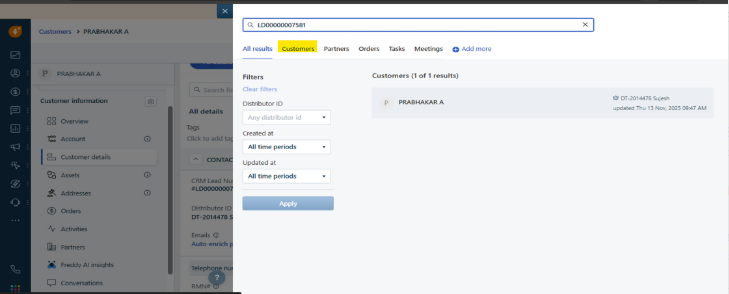
Step2:
Access the Customer Record and Click on 'New Activation Form' to open the detail page.
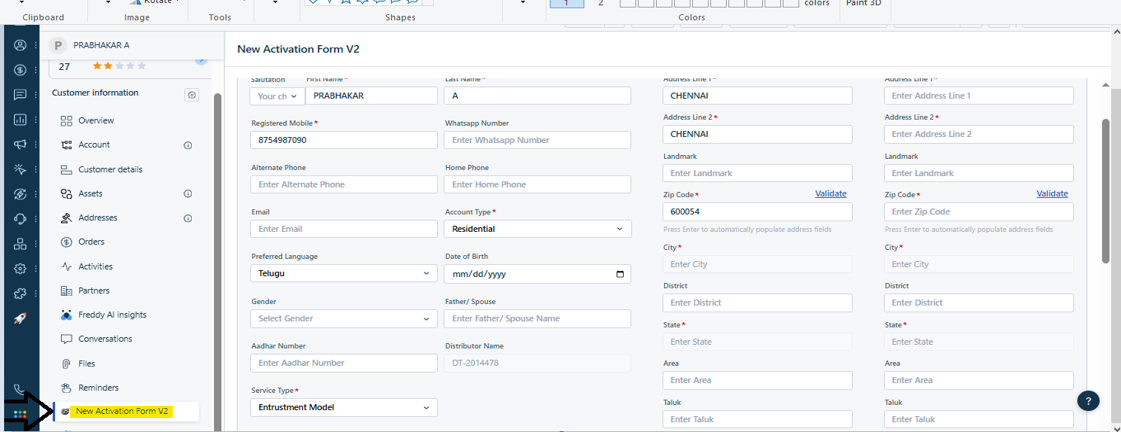
Step3:
After capturing the required fields in the activation form, enter the online PIN in the Online Voucher field.
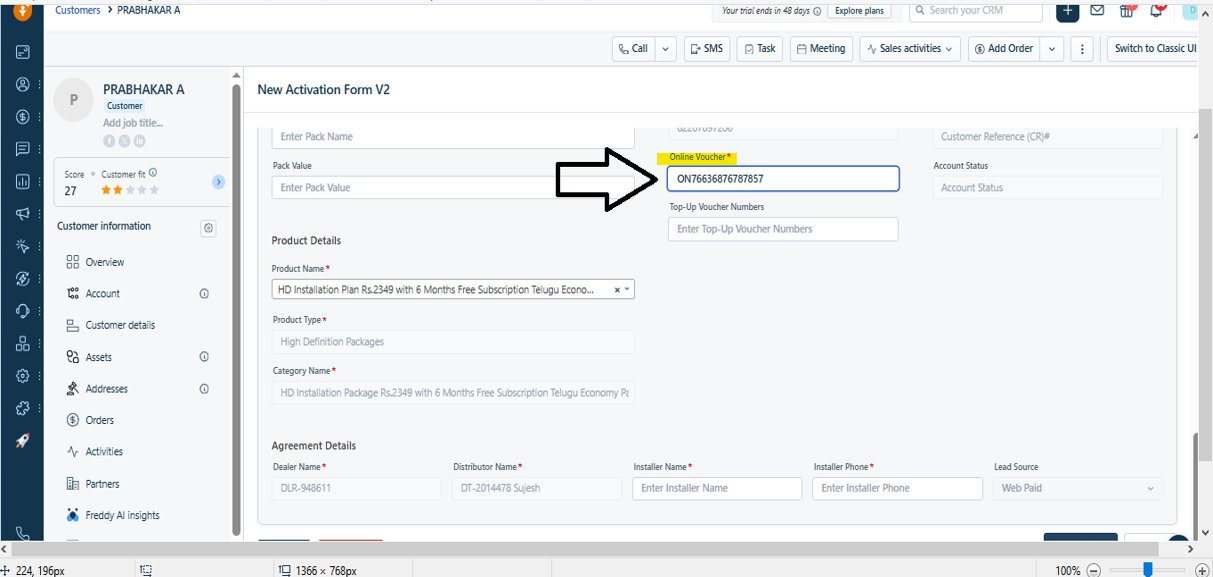
Step4:
Upon capturing all the relevant information, click on Validate.
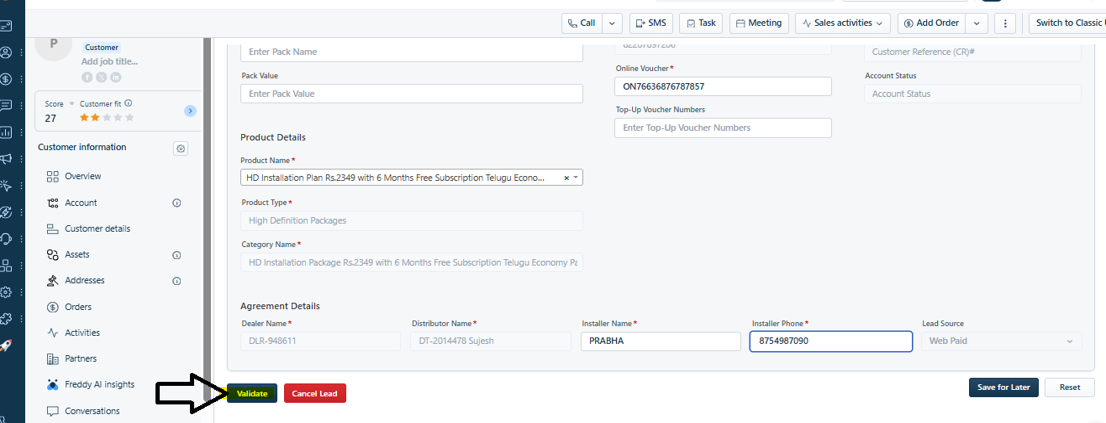
Step5:
Upon Clicking Validate, OTP will be sent to Customer's RMN for validation and Activation will be completed.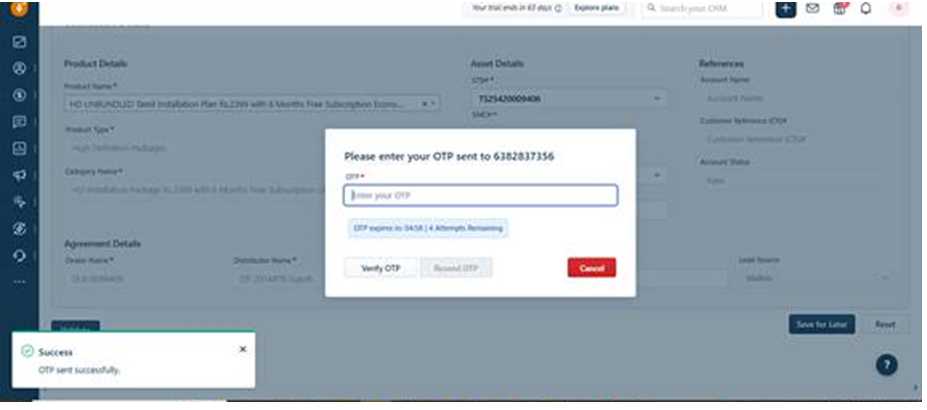

Handling Invalid OTPs (Retries)
If the customer provides an incorrect OTP, the agent can resend it again. It can be resent up to 3 times.
 After 5 unsuccessful attempts, OTP validation will be locked. Can try again after 24 Hours
Was this article helpful?
That’s Great!
Thank you for your feedback
Sorry! We couldn't be helpful
Thank you for your feedback
Feedback sent
We appreciate your effort and will try to fix the article