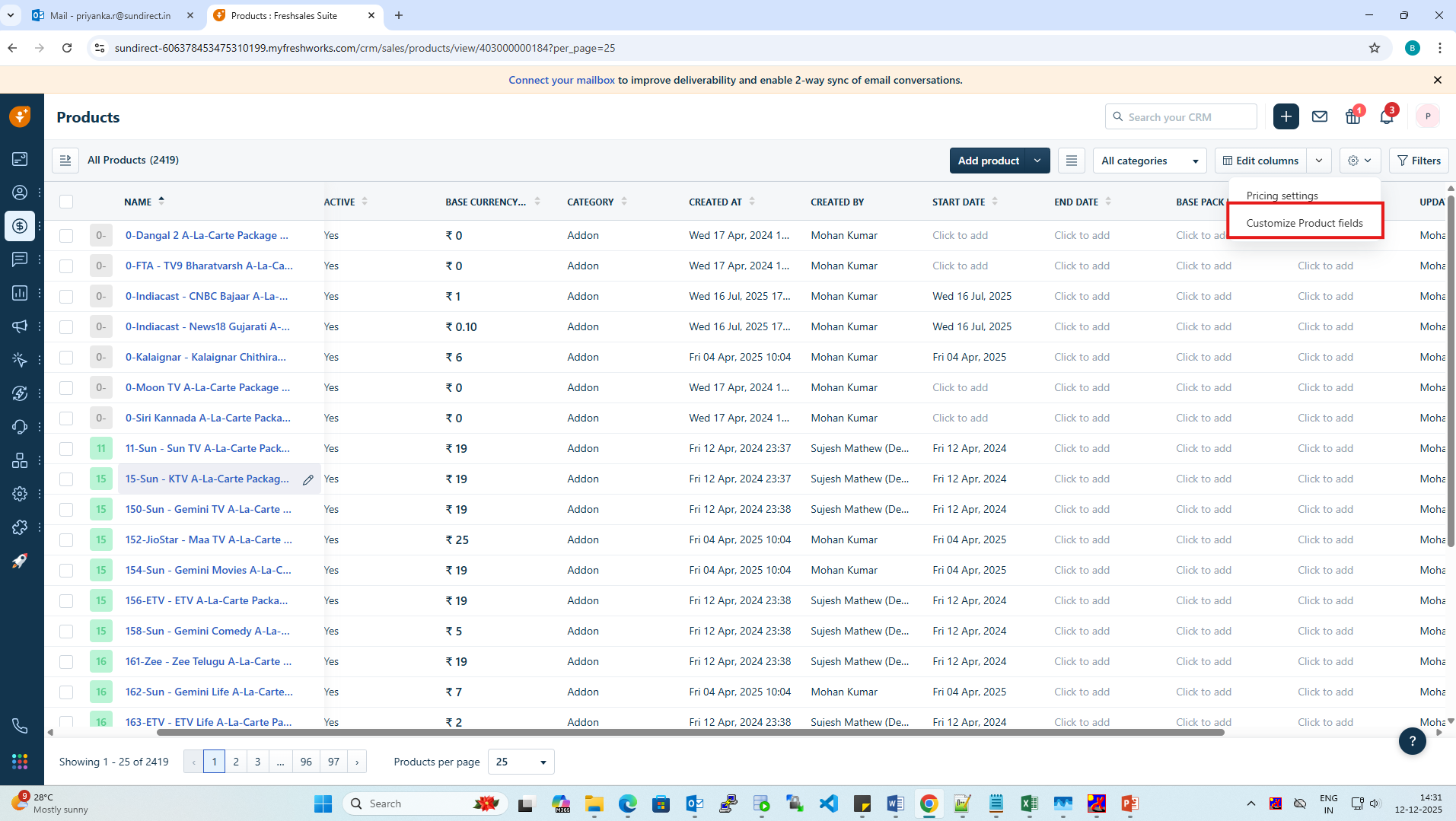
STEP 1: To configure the Installation Pack, Go to the product module->Click the settings icon and then select "Customize product field".
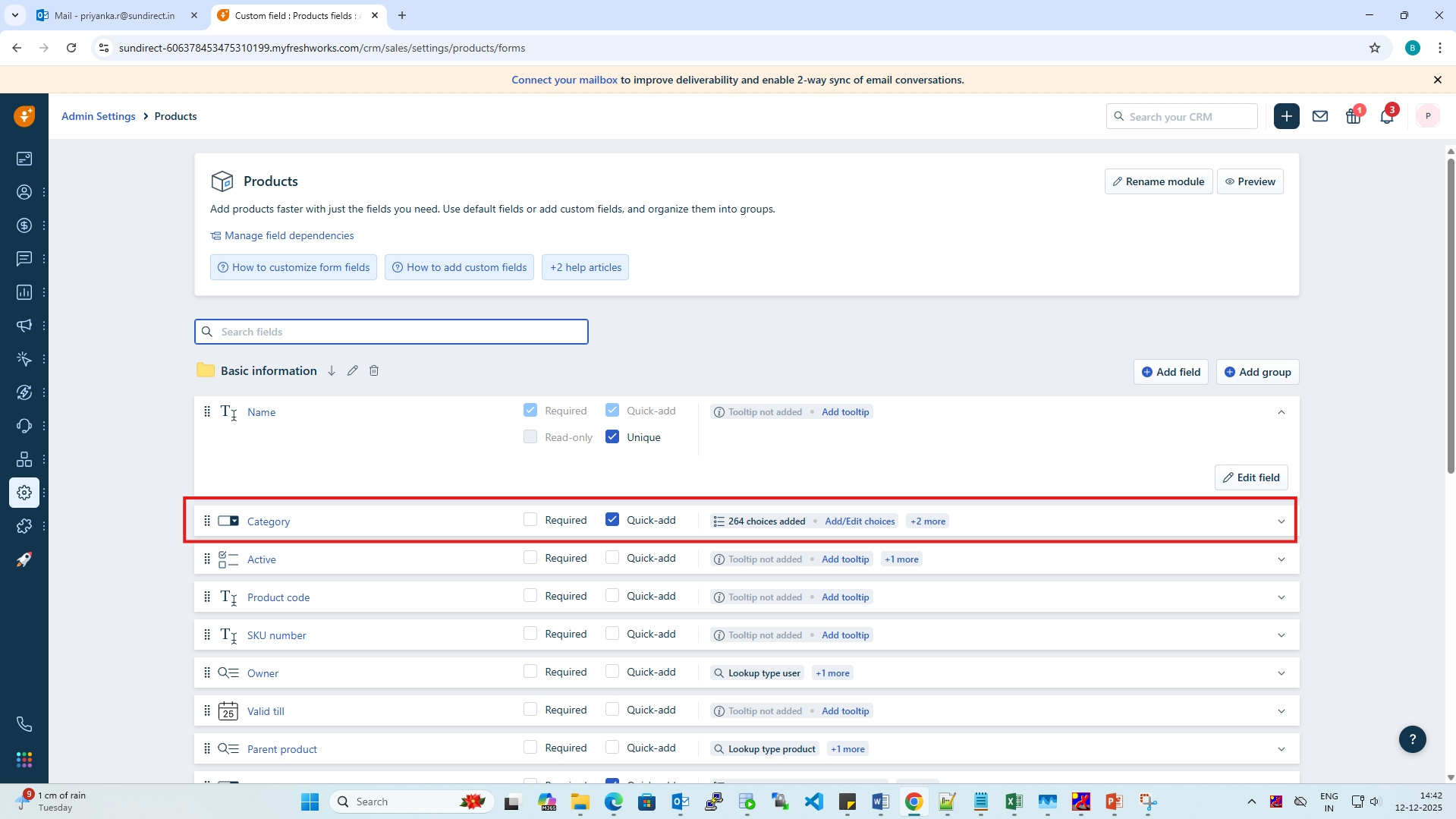
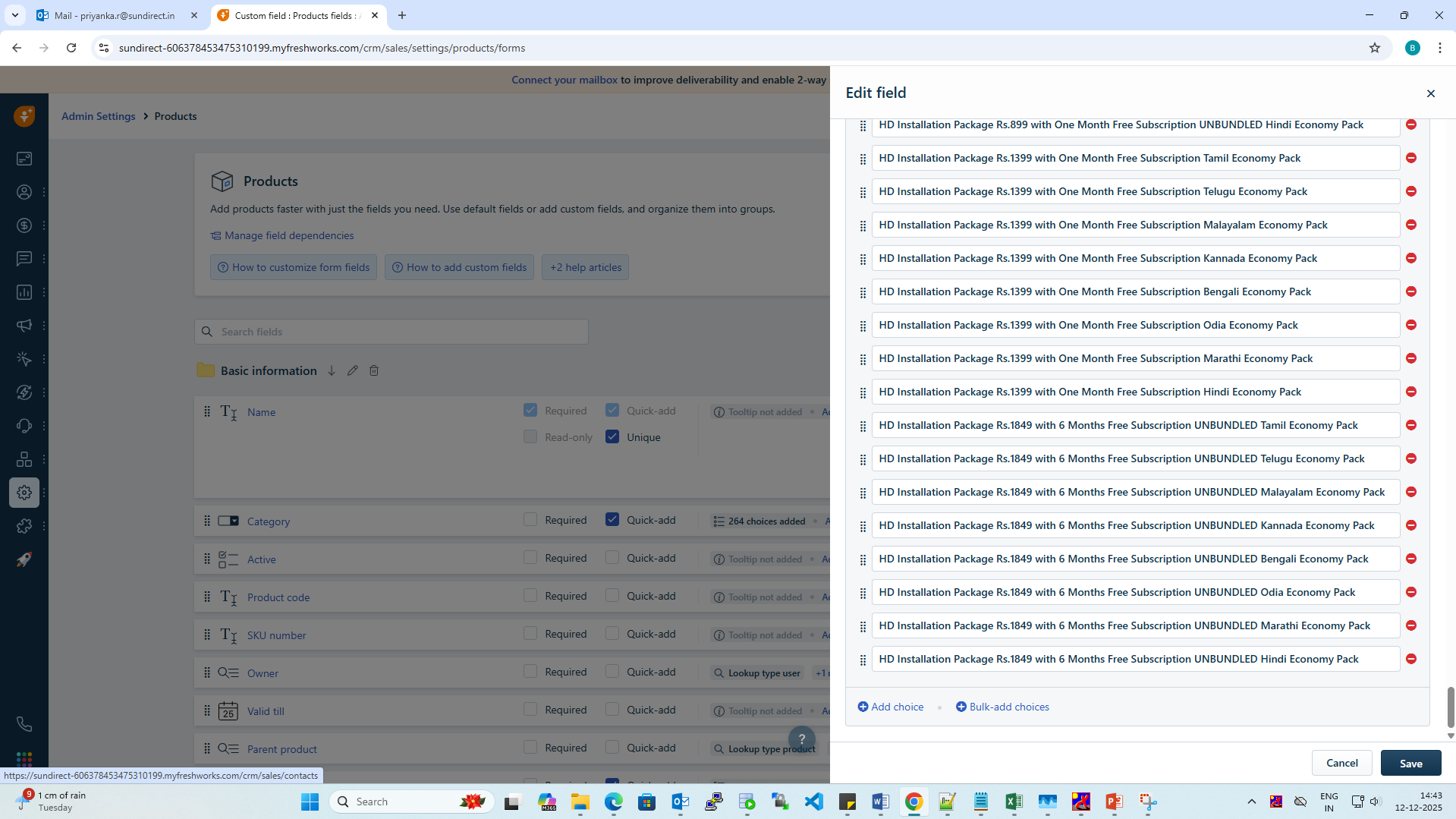
Step 2: In the customization screen, the basic information section will be displayed, Open the category field and add the installation packs and save the changes.
Step 3: Refresh the page to apply the updates.
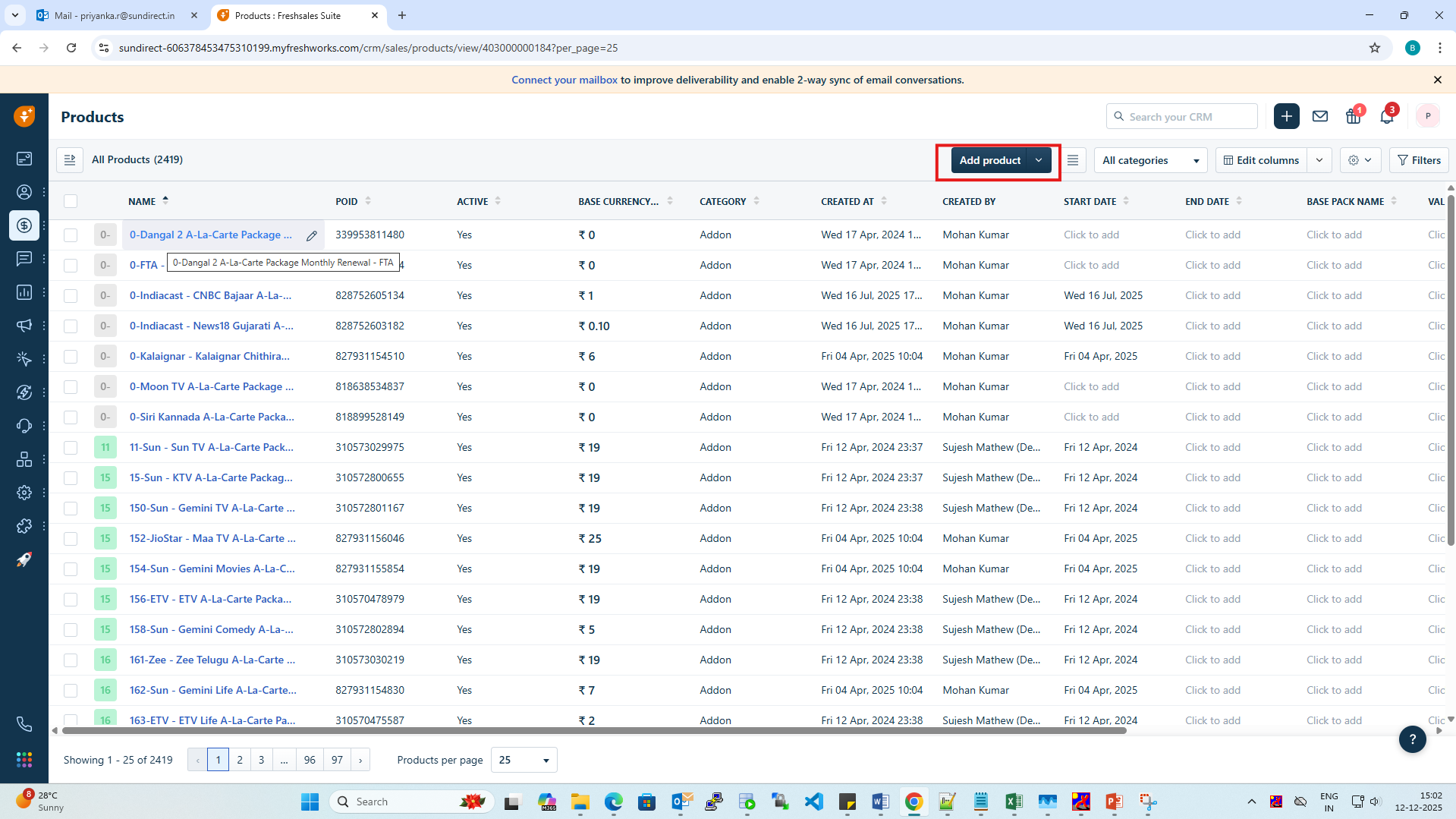
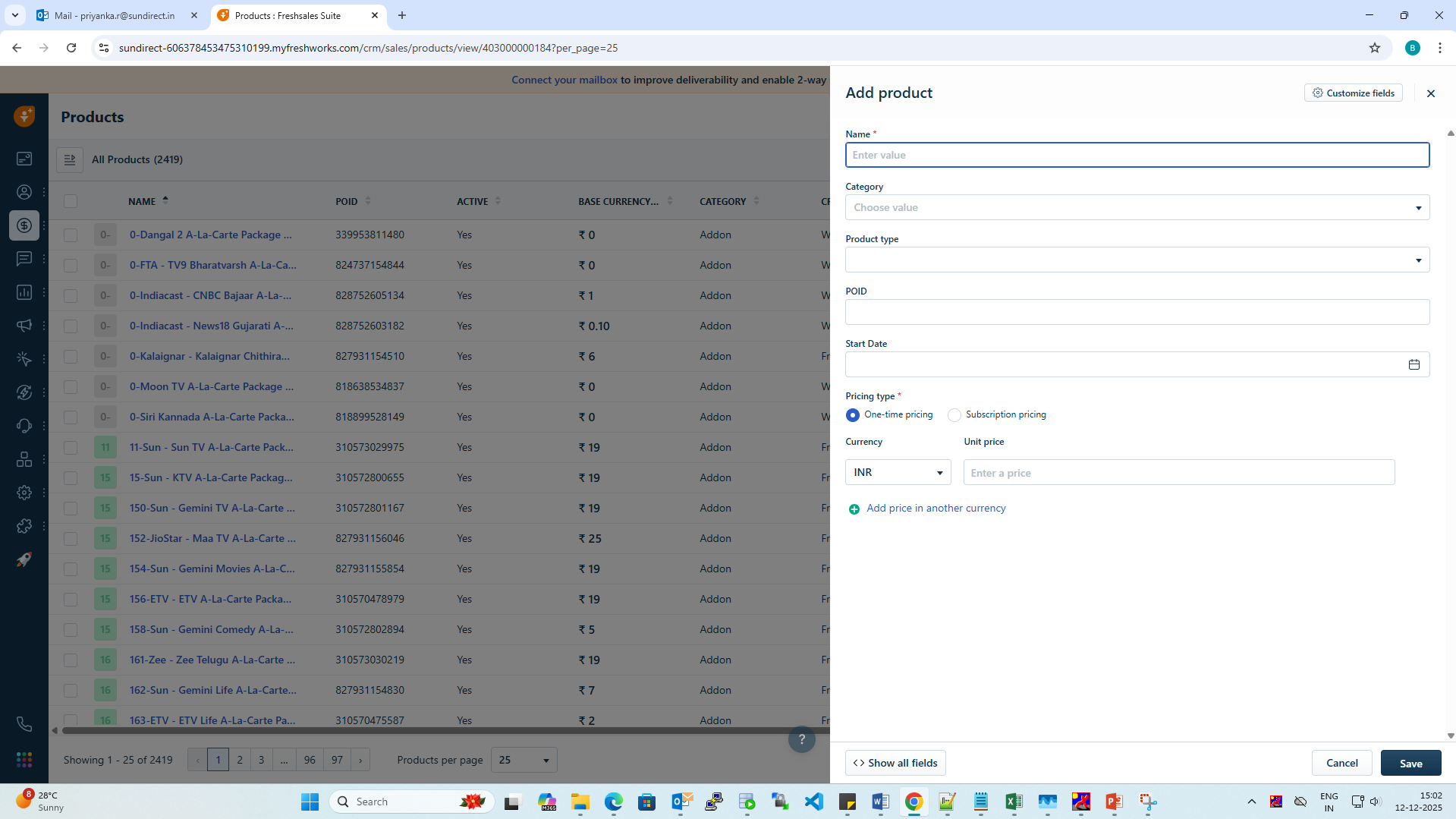
Step 4: Navigate back to the products module and click the add product icon.
A new form will open, fill in all the mandatory fields such as Name, Category, Poid, Part number, start date, Product type, and unit price.
Step 5: Save the changes to configure the installation pack.
Was this article helpful?
That’s Great!
Thank you for your feedback
Sorry! We couldn't be helpful
Thank you for your feedback
Feedback sent
We appreciate your effort and will try to fix the article