Step 1-Go to New option and select the Ticket.
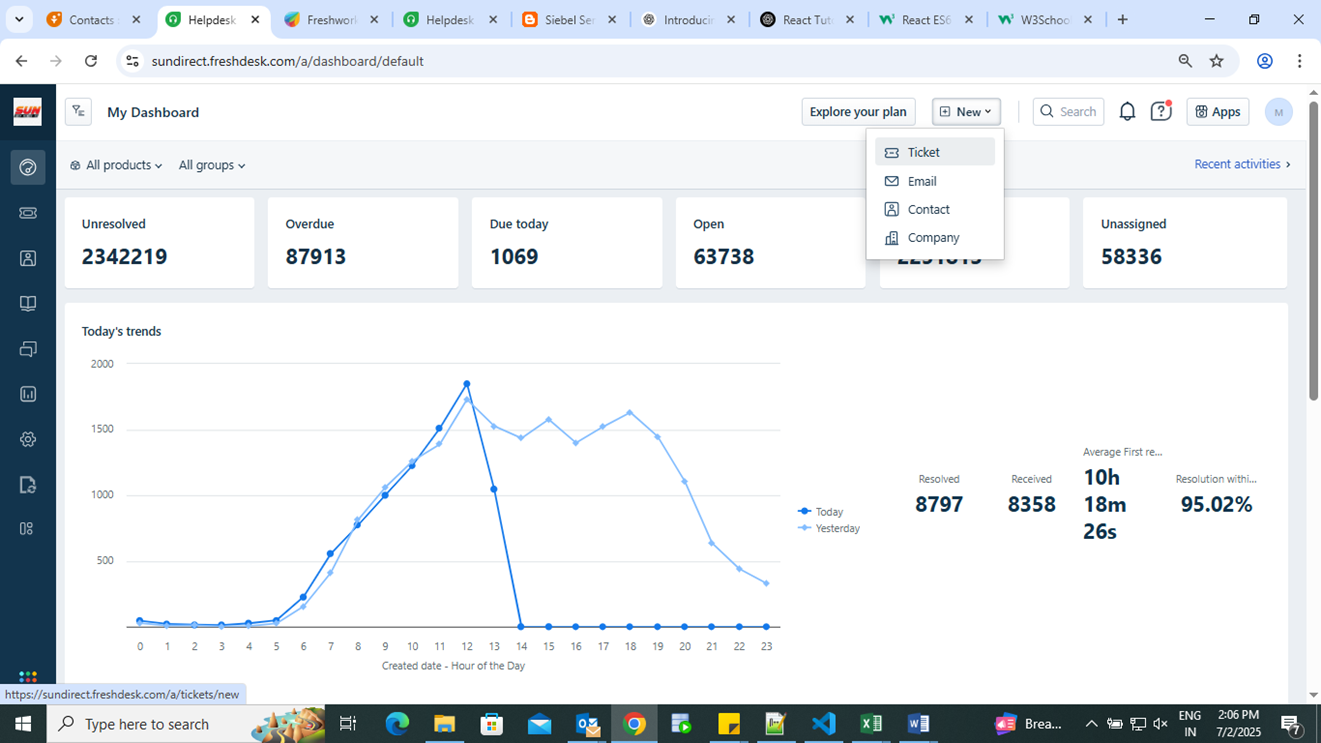
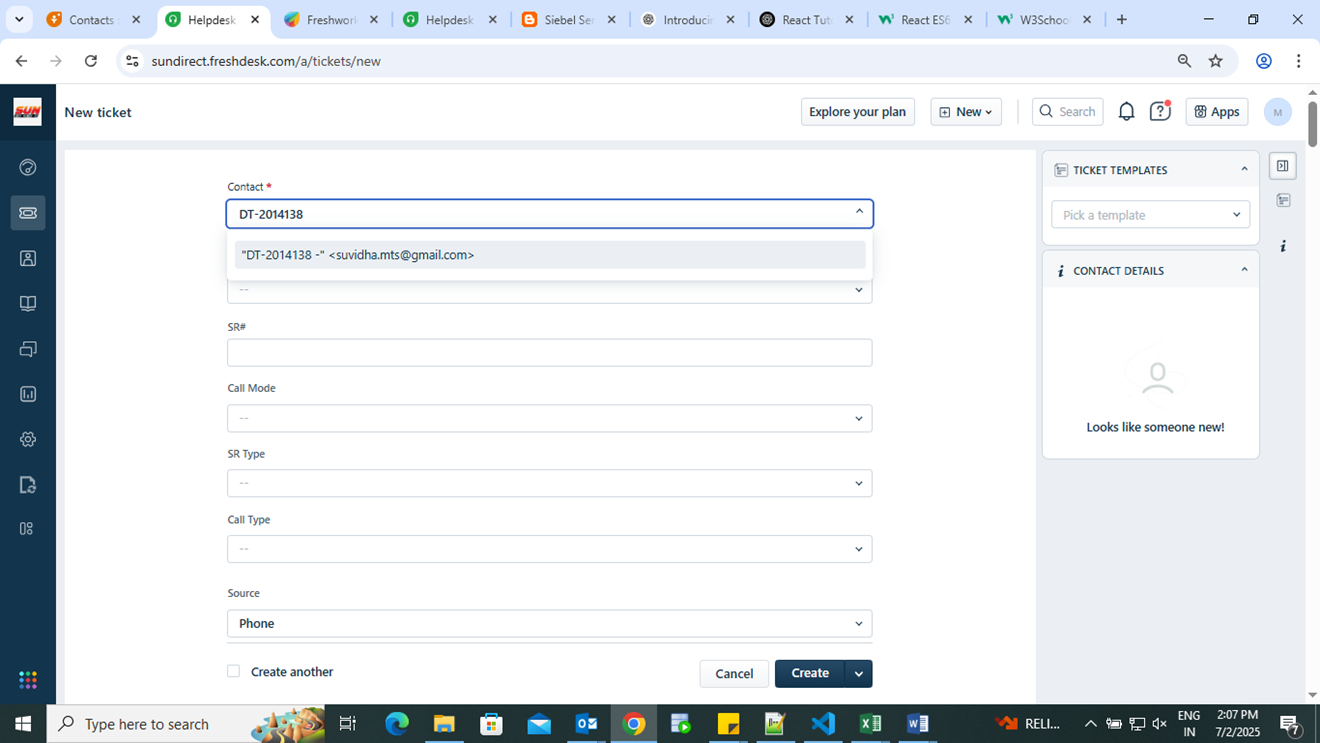
Step 2- In the Contact field, enter the DT user name (Email ID).
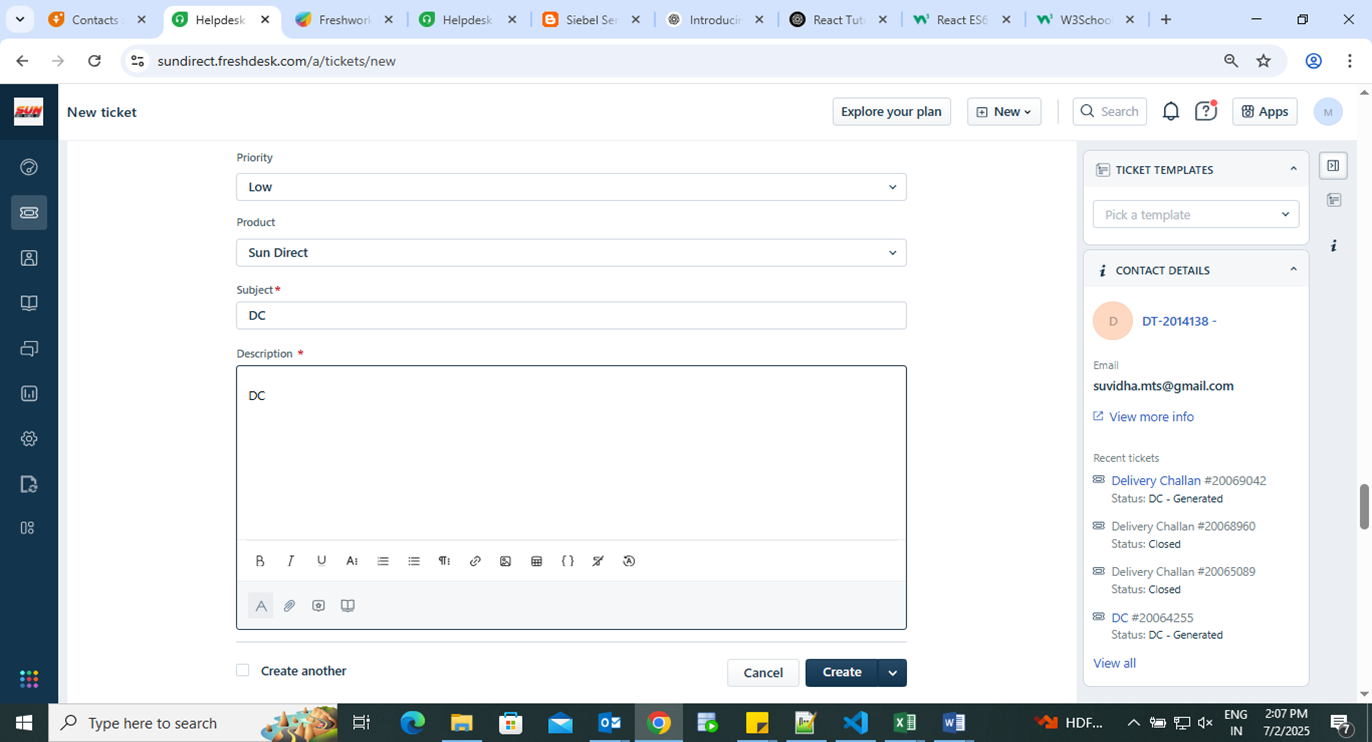
Step 3 - Fill in the Subject and Description fields, then click Create.
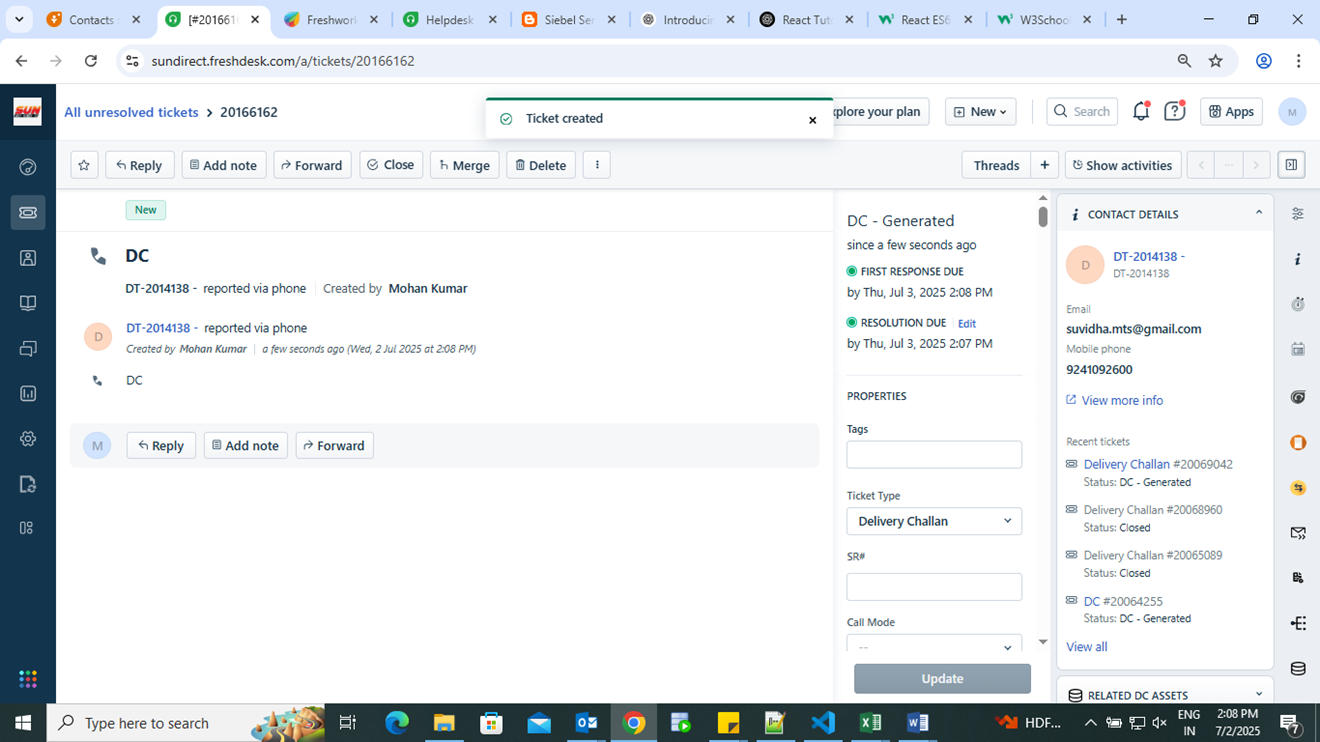
Step 4 - DC ticket has been created successfully.
Step 5 -Select the Delivery Challan module.
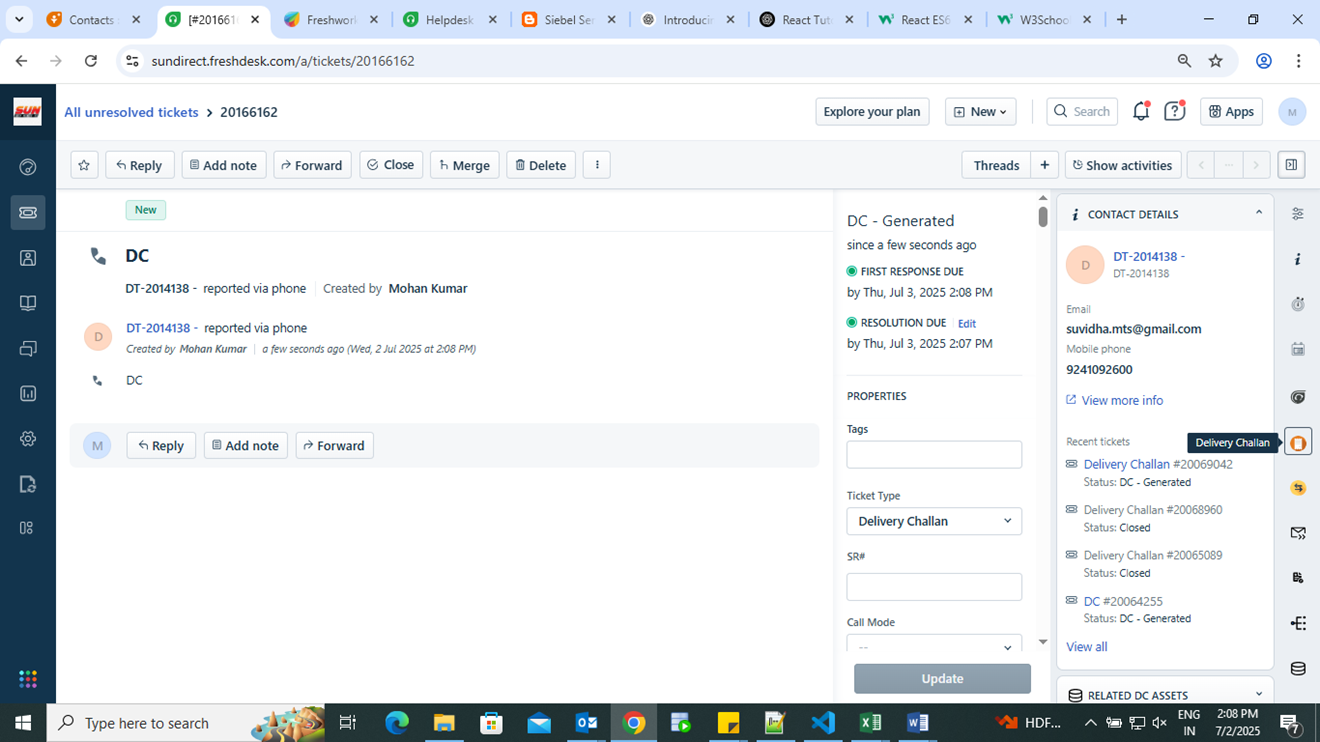
Step- 6 Click Validate & Proceed to DC.
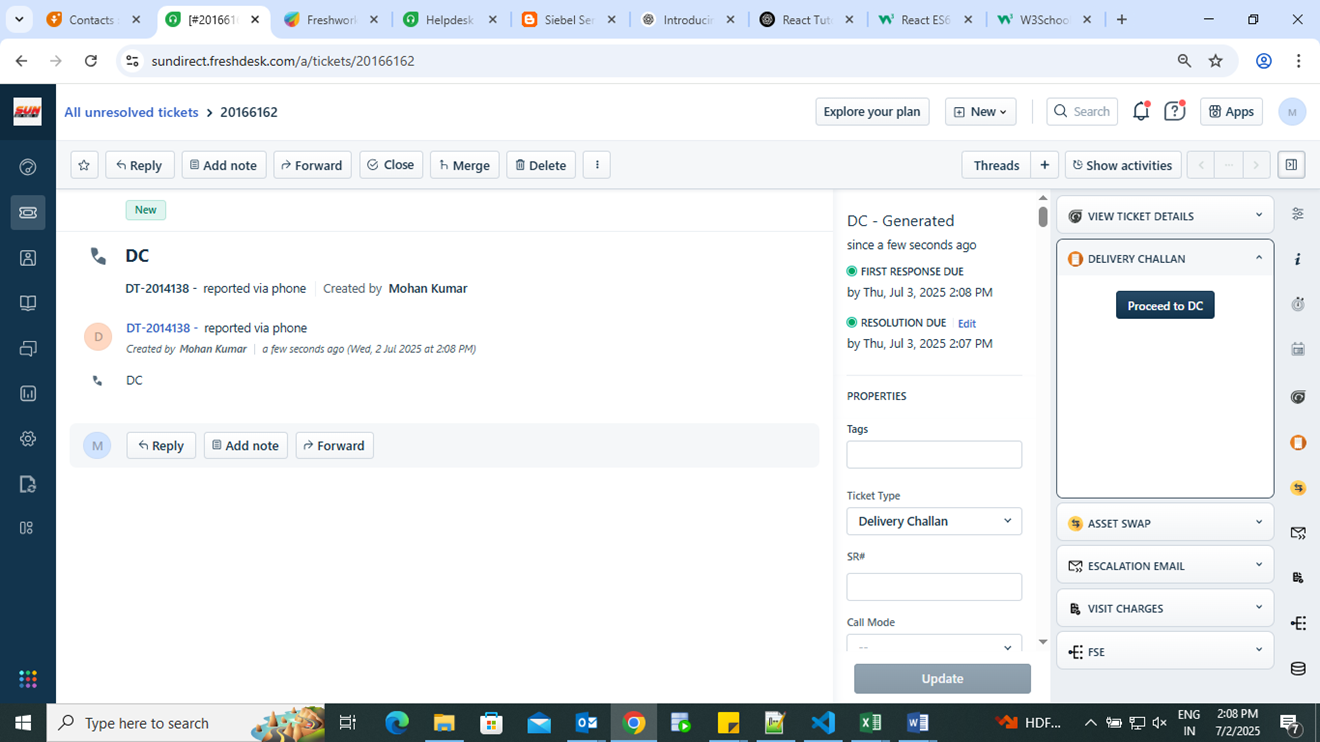
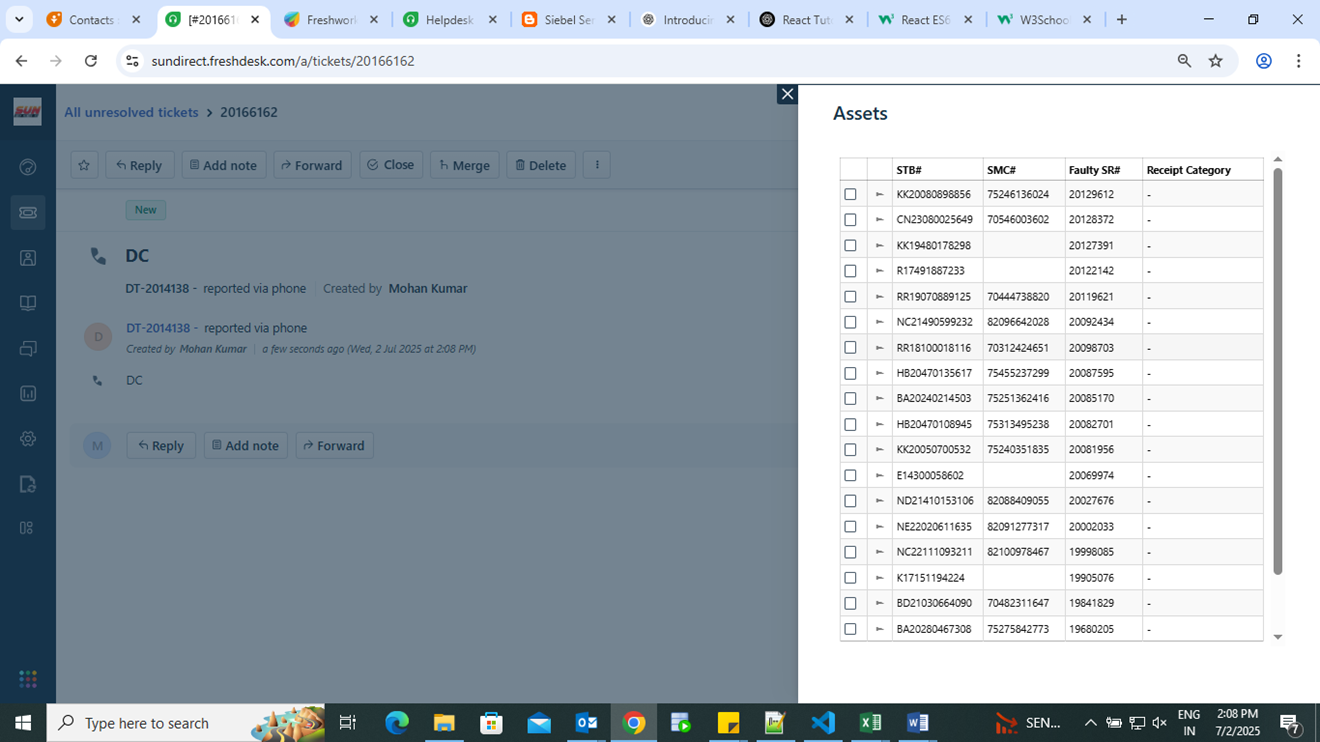
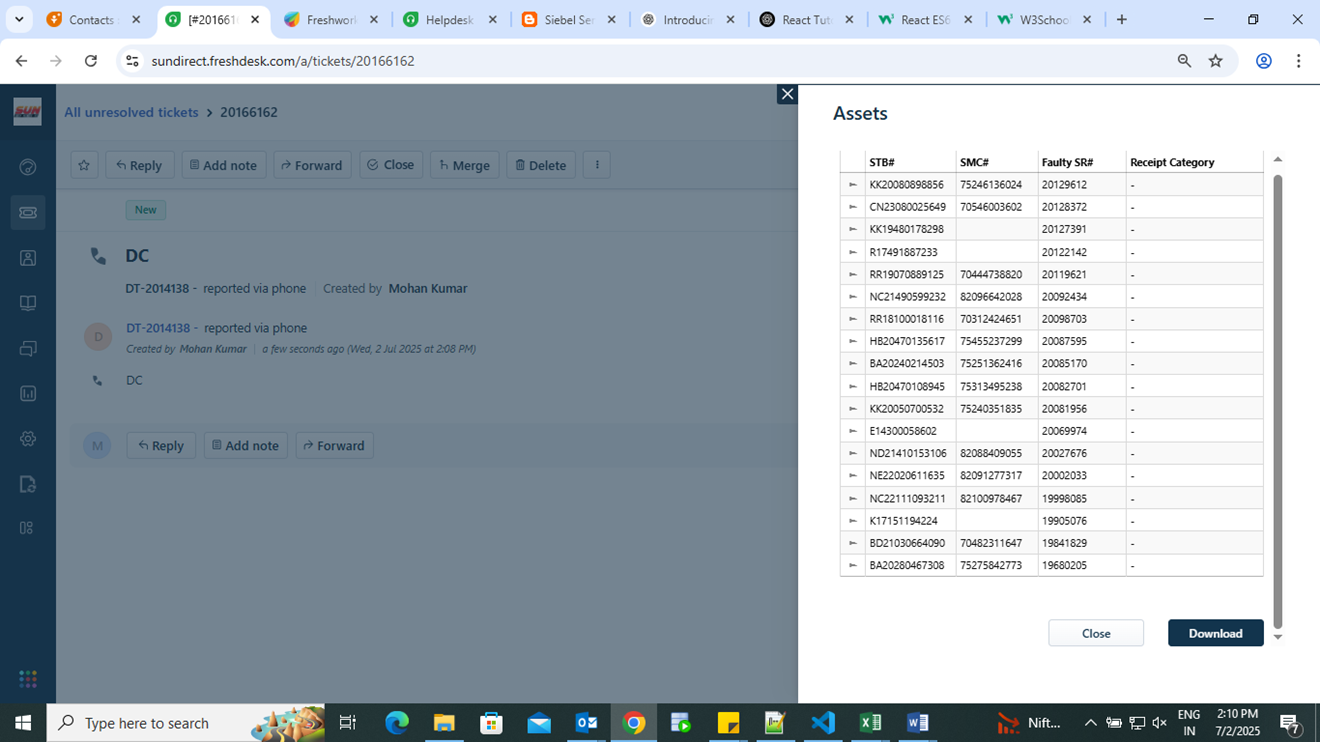
Step - 7 Please View the assets in the Delivery Challan – Assets section.
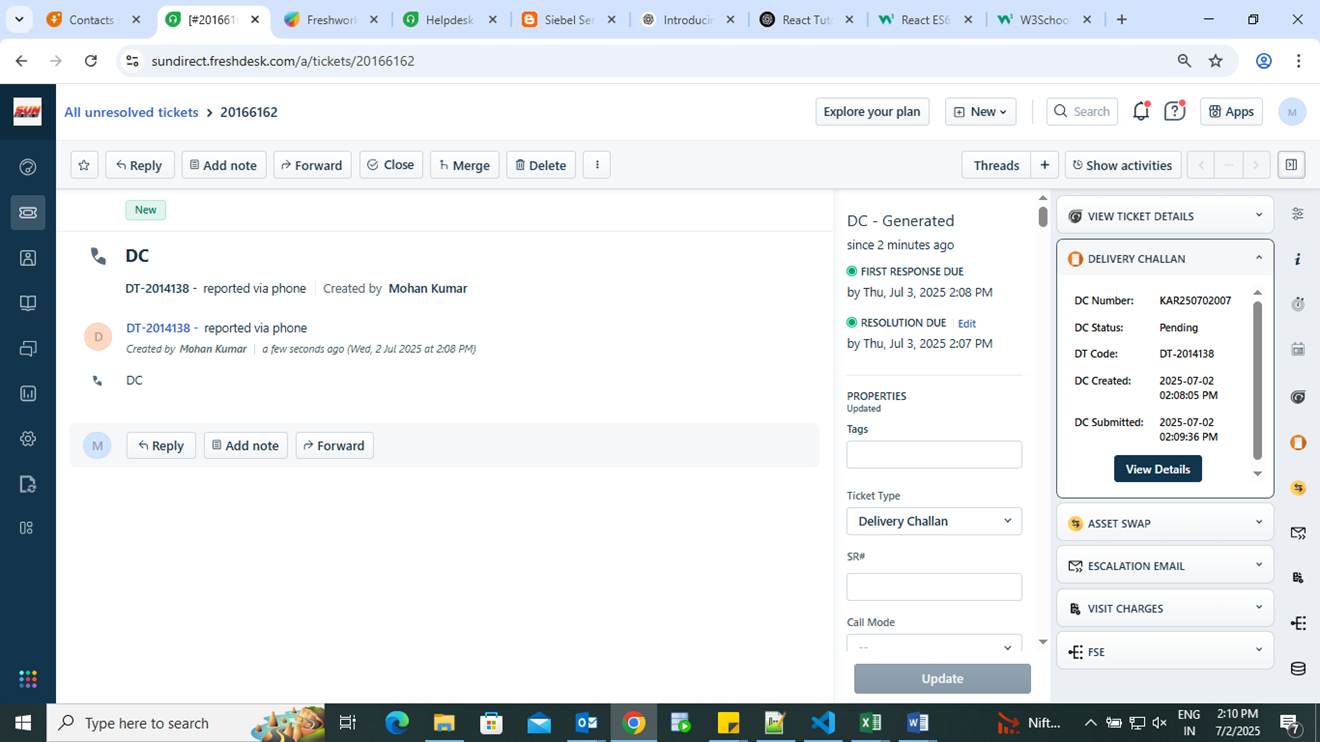
Step - 8 After submission, the Delivery Challan will be created.
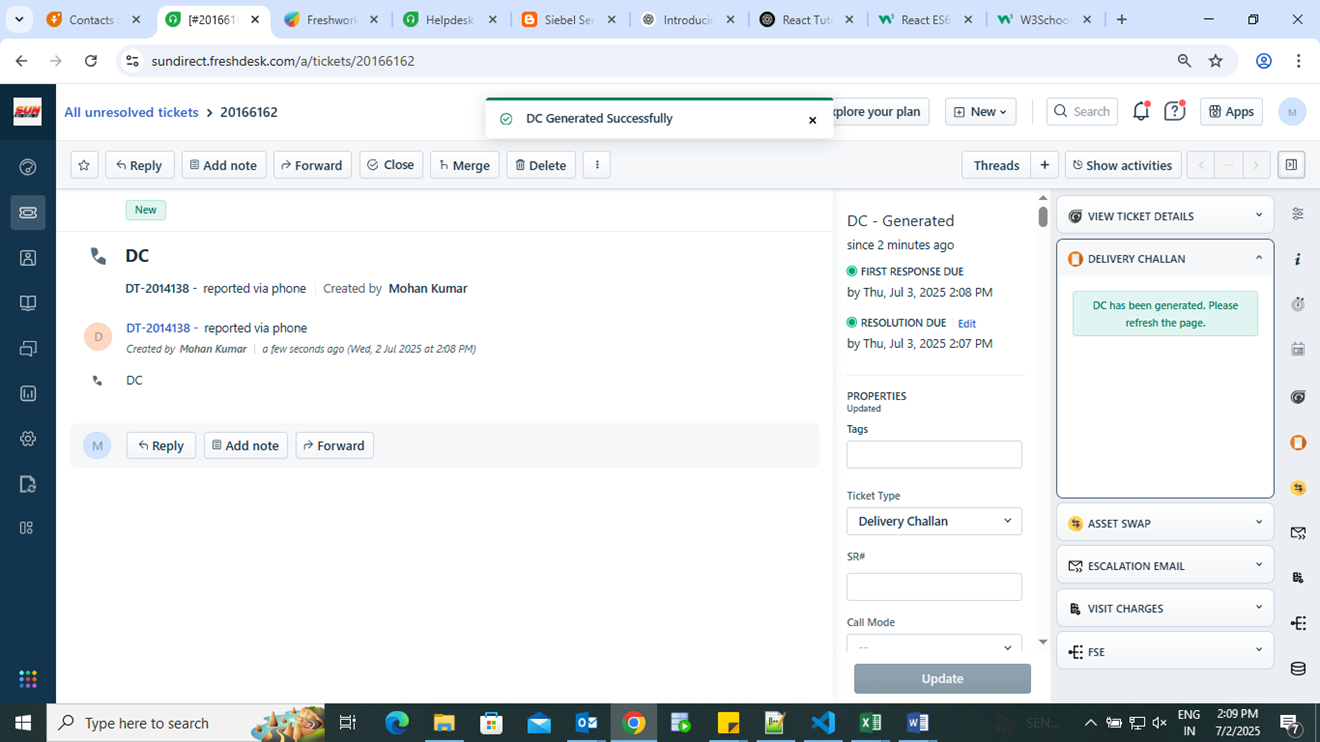
Step- 9 Go to View Details.
Step- 10 Click Download after viewing the assets.
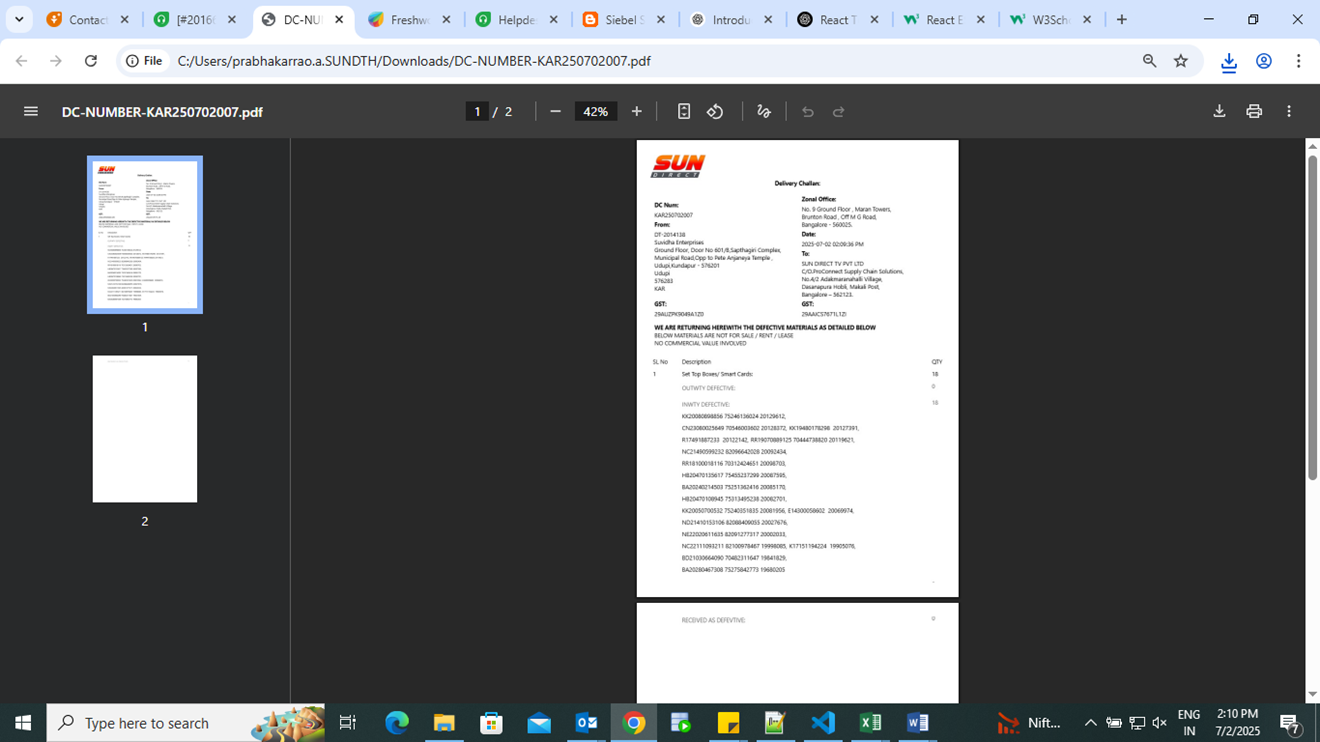
Step- 11 The PDF for the Delivery Challan will be generated.
Was this article helpful?
That’s Great!
Thank you for your feedback
Sorry! We couldn't be helpful
Thank you for your feedback
Feedback sent
We appreciate your effort and will try to fix the article