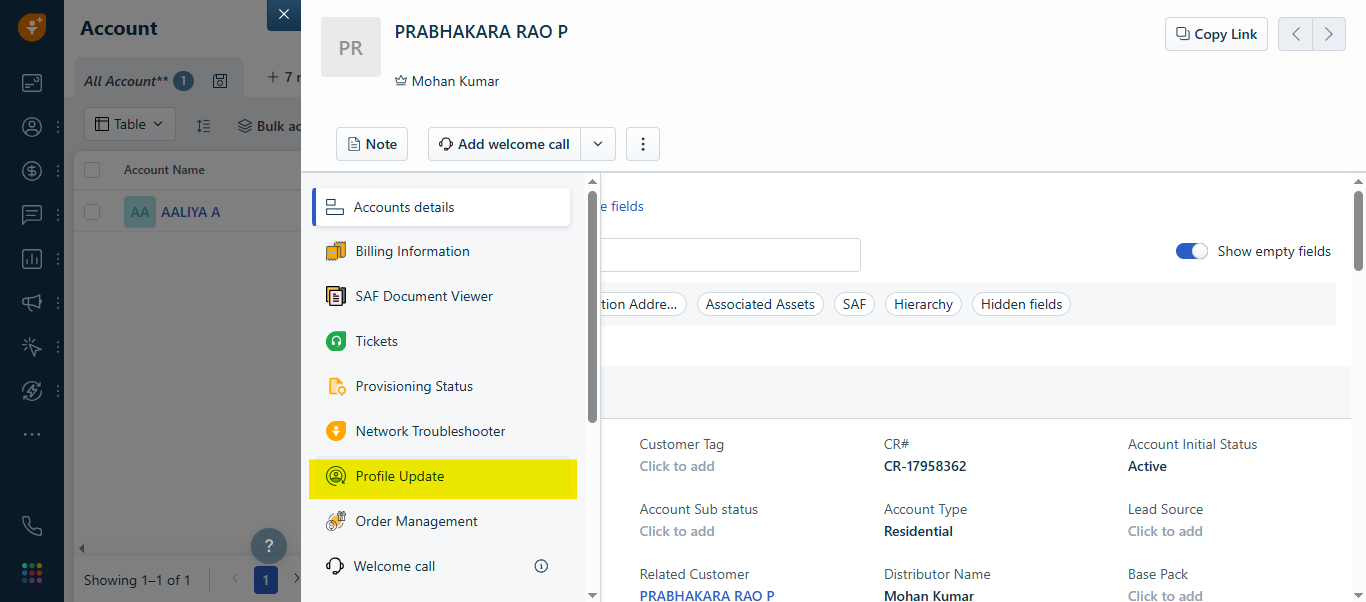
This article explains how agents should validate a customer’s phone number, send an OTP, verify the OTP, and complete the RMN change in Profile Update app. This app is located in the Accounts record.
1. Entering and Validating the Phone Number
When the agent types the customer’s phone number and clicks Update RMN, the system checks:
 What the system verifies. The phone number must have 10 digits. It must start with 9, 8, 7, 6, or 5 (valid Indian mobile number prefixes).
 If the phone number is wrong. The system will immediately show an error message.The agent must correct the number before moving ahead.
2. Sending the OTP:
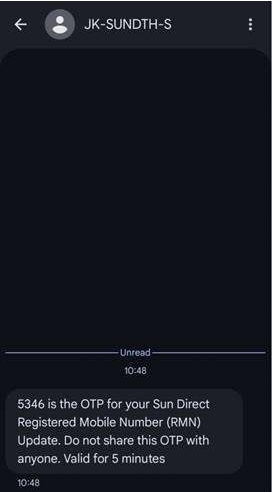
Once the phone number is valid, an OTP is sent to the customer and when it is delivered successfully, the agent will see a confirmation message.
 If OTP could not be sent. The system will show an error and, the agent may try again.
3. Completion of RMN update in Profile Update App:
The agent can only proceed with RMN change after OTP validation is successfully completed.
 The OTP is valid for 5 minutes from the time it is sent.
 If OTP is correct, a success message will appear on the screen.
  If OTP is wrong, the system will show an error message.
4. Handling Invalid OTPs (Retries)
If the customer provides an incorrect OTP, the agent can resend it again. It can be resent up to 3 times.
 After 5 unsuccessful attempts, OTP validation will be locked. Can try again after 24 Hours
5. Additional Rule for Profile Update App (RMN Change)
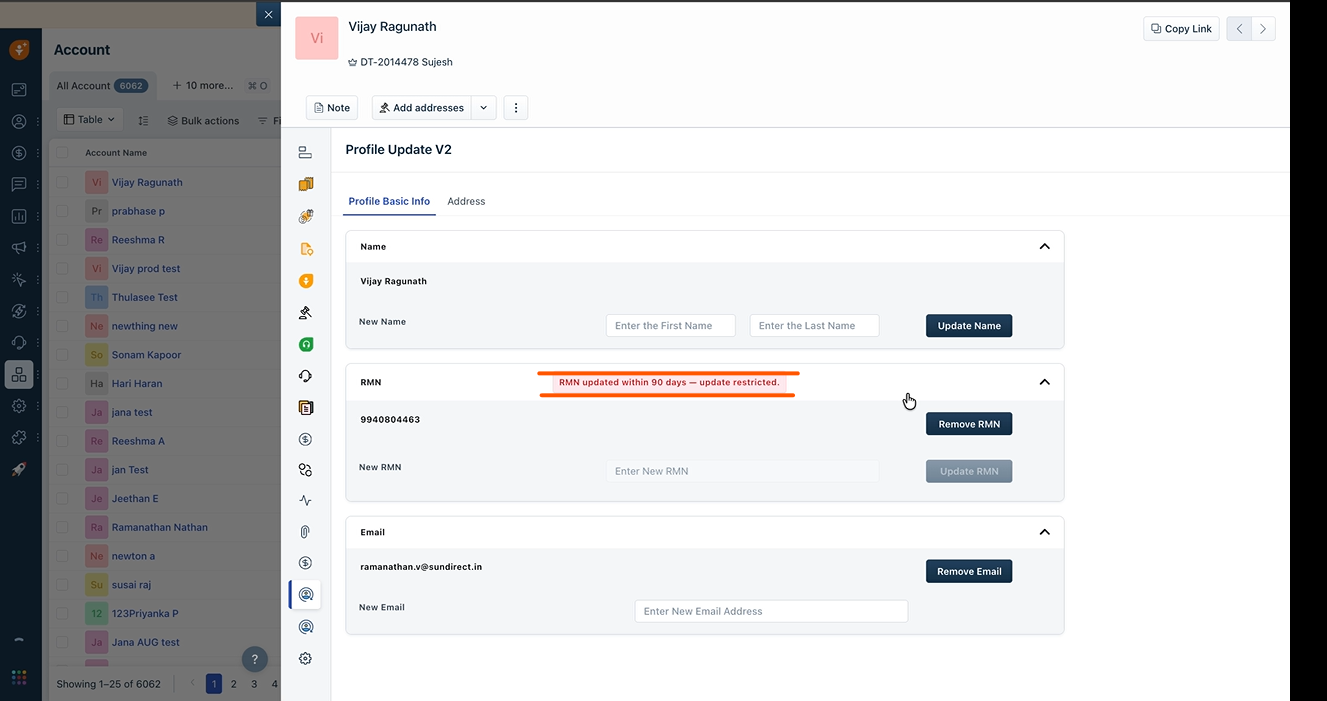
RMN change is allowed only if at least 90 days have passed since the last update.
This rule prevents frequent changes to the registered mobile number.
A Snapshot of the Profile Update app:
A Snapshot of the 90 days RMN Expiry Notice:
A Snapshot of the Profile Update app:
A Snapshot of the 90 days RMN Expiry Notice:
Was this article helpful?
That’s Great!
Thank you for your feedback
Sorry! We couldn't be helpful
Thank you for your feedback
Feedback sent
We appreciate your effort and will try to fix the article